CluserAI Logo

Think, make,
and ask.

Your CluserAI workspace for questions, drafts, and code. Choose the model and settings that suit your flow.
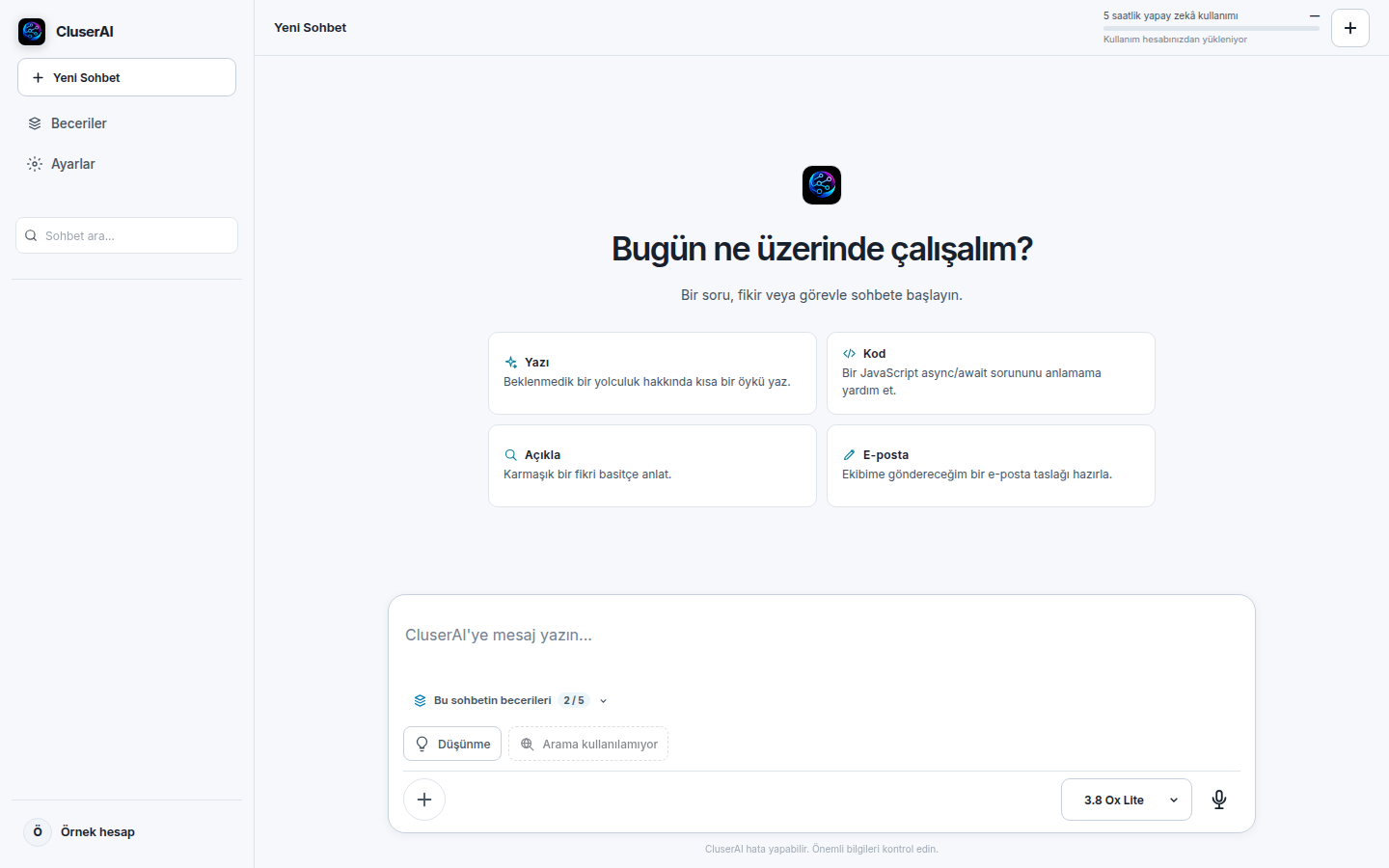
CluserAI chat workspace with the five-hour usage meter, Skills control, model selector, and microphone
A look inside the workspace
Ask and explore
Start with a question, idea, or problem and shape the response as you go.
Choose your model
Start with 3.8 Ox Lite. Plus and Max plans also include Nova 4.0 models.
Write and build
Work through drafts, coding questions, and creative ideas in a conversation.
CluserAI
CluserAI
by Goktug Holding
Welcome back
or
Don't have an account?
CluserAI
Verify your email
We sent a verification link to your email address. Please check your inbox (and spam folder) and click the link to continue.
CluserAI
5-hour AI work usage—
Usage loads from your account

How can I help you?

Start a conversation with CluserAI. Ask me anything.

Add to chat

Personalize your assistant

Cluser Skills

Enable a specialization, or create your own, to shape how CluserAI helps.

0 of 5 active

When active, Skill instructions are sent to Google Gemini with your chat. Do not include passwords or secrets.

Browse Skills

Custom Skill

Create a Skill

Plans

More room for your AI work

Choose a plan that fits how you work.

Current plan: Free

Free

$0always

About 15 standard responses per 5-hour window

A helpful starting point for everyday questions.

  • One model: 3.8 Ox Lite
  • Five-hour work budget with live usage meter
  • Free access does not expire

Plus

$20/ month

About 100 standard responses per 5-hour window

More room for regular AI work and the Nova models.

  • All three models, including both Nova models
  • Five-hour work budget with live usage meter
  • One month of Plus access

Max

$50/ month

About 200 standard responses per 5-hour window

The most room for demanding AI work.

  • All three models, including both Nova models
  • Largest five-hour work budget with live usage meter
  • One month of Max access

Plan details at a glance

See what changes between plans and which tools are available today.

Five-hour usage meter

The chat header shows usage and the next reset time for your current five-hour work budget.

Usage reflects AI work

This is not a fixed message count. Longer prompts and responses use more of the available budget.

Thinking mode

Turn the Thinking option on or off in the chat composer before sending a message.

Image and file attachments

Add supported images, PDFs, and text files: up to 8 attachments and about 4 MB total per request.

Web Search

Currently unavailable in the app; upgrading does not enable Web Search.

These are approximate standard-response equivalents, not message quotas. Longer responses may use more of your plan allowance. Paid plans last one month.

Settings

Customize your CluserAI experience

Account
U
Profile Photo
JPG or PNG, up to 5MB
Change Password
Change Email
Theme
Appearance
Choose your preferred theme
Language
Interface Language
Changes the interface language only
Font
Typography
Select your preferred font
Kendi Projelerinize CluserAI'ı Entegre Edin
CluserAI
CluserAI
Intelligent AI Assistant
Developer
Developed By Goktug Holding
CluserAI is an advanced AI assistant built to provide intelligent, helpful responses across every domain.
Version
CluserAI v9 BETA
Continuously updated by Goktug Holding
Capabilities
Conversational AI · Code assistance · Creative writing · Analysis · Multi-language support
Contact
Send us your feedback, suggestions, or support request.